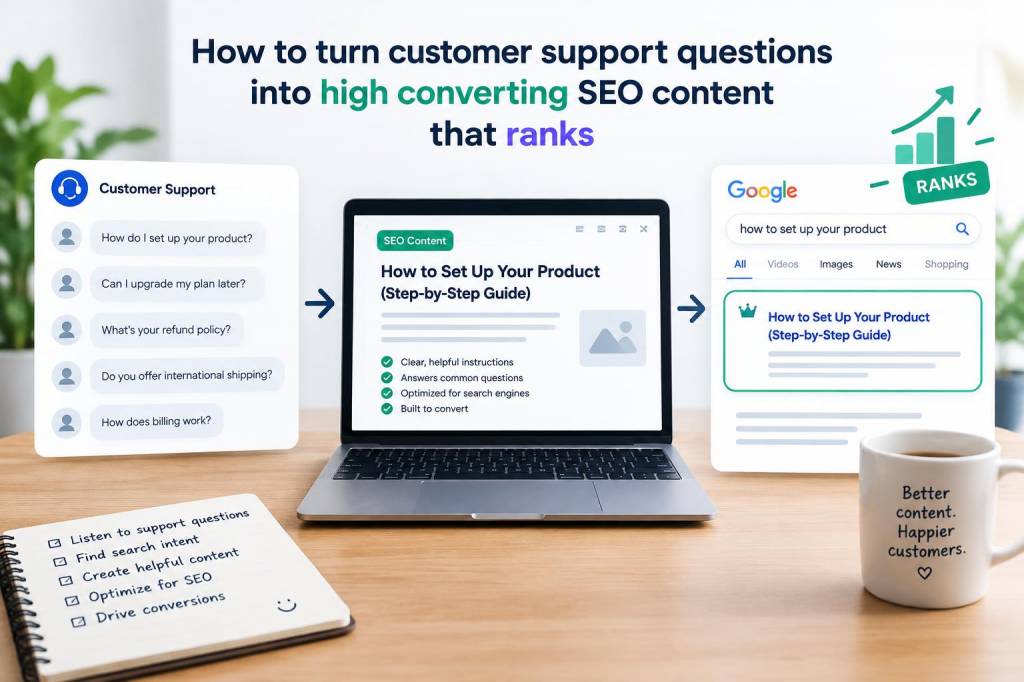
I have learned that customer support is not only a service function; it is a content mine. Every day, support teams collect raw language from real people who are trying to solve real problems, and that language is often exactly what searchers type into Google. When I turn support questions into SEO content, I am not guessing what people want. I am listening to them. That simple shift changes everything, because content built from customer pain points tends to attract qualified traffic, earn trust faster, and convert better than broad, generic articles.
What makes this approach so powerful is the match between intent and relevance. A customer who asks, “Why is my invoice incorrect?” is not browsing casually. That person needs a clear answer, fast. If I create a page or article that addresses that exact issue, I am meeting a high-intent searcher at the moment of need. In my experience, that is where conversion starts: not with flashy copy, but with precise, useful information that removes friction.
Why support questions are such strong content ideas
Support questions are already validated demand. I do not have to wonder whether a topic matters, because customers have already told me it does. That is a major advantage over content ideas chosen only through keyword tools. Keyword tools are useful, but they often flatten language into search volume and difficulty scores. Support tickets, live chat transcripts, product reviews, and email threads reveal something deeper: the exact words people use when they are confused, frustrated, or ready to buy.
I also like support questions because they often expose hidden gaps in a website. If many customers ask the same thing, that usually means the product page, help center, onboarding flow, or pricing page is not answering it clearly enough. Turning that question into SEO content lets me solve two problems at once: improve search visibility and reduce repetitive support requests.
Another reason this works is trust. People searching for answers want clarity, not marketing noise. When I write from support data, I can create content that feels more honest and practical. That tone often leads to higher engagement, lower bounce rates, and stronger conversion signals because readers feel understood instead of sold to.
How I find questions worth turning into content
I start by gathering questions from every place customers speak. I never rely on one channel alone, because a broader view gives me a more accurate picture of what people need.
- Support inboxes and help desk tickets
- Live chat conversations
- Sales call notes
- On-site search queries
- Product reviews and app store reviews
- Community forums and social media replies
- Internal notes from customer success teams
Once I have that material, I look for repetition. Repeated questions are the clearest signal that a topic deserves content. I also look for emotional language. Questions that include words like “can’t,” “why,” “broken,” “charged,” “failed,” or “missing” usually point to urgent intent. That urgency is often a strong indicator of conversion potential, because the person is actively looking for a solution.
I also separate questions into stages of intent. Some are early-stage and educational, such as “What is an API integration?” Others are mid-stage, such as “How do I connect this tool to my CRM?” Some are late-stage and transactional, such as “How do I cancel my subscription without losing data?” Each stage deserves a different content format and different call to action.
How I turn a support question into an SEO asset
When I choose a question, I first rewrite it in a search-friendly way without losing the customer’s language. I want the page title, headings, and opening paragraph to feel natural, not forced. If the original question is too narrow, I expand it slightly to cover related variations. If it is too broad, I narrow it to a more specific problem so the page has a clearer purpose.
For example, a support question like “Why was I charged twice?” can become an article or help page about duplicate charges, payment processing delays, and what users should check before contacting support. That page can rank for many similar searches while still solving the exact problem.
Then I map the content to search intent. I ask myself:
- What does the searcher want to know immediately?
- What detail would help them trust the answer?
- What action should they take next?
- What related questions will still be on their mind?
This process helps me structure the page so it answers the main question quickly, then expands into useful detail. I avoid burying the core answer under a long introduction. People coming from search want relief first, then explanation.
My structure for pages that rank and convert
I usually build these pages with a simple structure that respects the reader’s time and improves clarity for search engines.
| Section | Purpose | Conversion value |
|---|---|---|
| Opening answer | Give the direct solution immediately | Reduces friction and builds trust |
| Root cause explanation | Show why the problem happens | Positions me as credible and helpful |
| Step-by-step fix | Help the reader solve the issue | Increases satisfaction and completion |
| Related scenarios | Cover edge cases and common variations | Catches more long-tail searches |
| Next action | Point toward a demo, product page, support contact, or related article | Moves the reader toward conversion |
I like this structure because it works for both SEO and user experience. Search engines can understand the topic more clearly, and readers can scan the page without effort. That combination matters a great deal when I want traffic that actually converts.
How I write with customer language without sounding repetitive
One mistake I see often is copying support language too literally. That can make content clunky or overly informal. I prefer to keep the customer’s wording in mind while polishing the page for readability. I use the exact phrasing where it matters, especially in headings and key sentences, but I refine the surrounding copy so it flows well.
For instance, if customers repeatedly ask, “How do I reset my password if I forgot my old email address?” I may use that phrase in the headline or an FAQ section. In the body copy, I can simplify without losing meaning. This balance helps me align with search behavior while keeping the article professional and easy to follow.
I also make sure to answer related questions before they become objections. If a reader wonders whether data will be lost, whether a refund is possible, or whether a fix will take time to appear, I address those points directly. Anticipating concerns improves both satisfaction and conversion because it reduces hesitation.
Where I place conversion elements without ruining the page
I never want a support-led article to feel like a sales pitch. If the page is too aggressive, readers lose trust. Instead, I place conversion elements where they feel like a natural next step. A reader who has just solved a problem may be open to learning more, trying a feature, or exploring a related product.
Here are the moments when I usually place a call to action:
- After the direct answer, if the next step is clear
- After the step-by-step solution, if the reader may need more help
- Near the end, after I have established trust and value
- Inside related resource links, when a deeper action makes sense
I keep these actions specific. A generic “Learn more” rarely performs as well as a focused prompt such as “Compare plans,” “See live examples,” or “Contact support for account review.” The more closely the action matches the reader’s intent, the better the conversion rate tends to be.
How I measure whether support content is working
I do not judge success only by traffic. Traffic matters, but high-converting SEO content needs to do more than attract visits. I watch whether the page resolves the problem, keeps people engaged, and contributes to business goals.
My core metrics usually include organic impressions, click-through rate, average time on page, scroll depth, internal clicks, support deflection, demo requests, product trials, and assisted conversions. If a page gets traffic but does not move users forward, I treat that as a signal to improve the copy, structure, or call to action.
I also look at search queries from Search Console. Sometimes a page ranks for a related question I did not fully address. That tells me where to expand the content. Other times, I see that users are searching for a slightly different version of the problem. In that case, I may create a companion article or add a new section that speaks more directly to that need.
A practical workflow I use for turning tickets into content
My workflow is simple, but it keeps the process organized and scalable.
- Collect recurring customer questions weekly
- Group similar issues into topic clusters
- Check search demand and related phrasing
- Choose one primary question per page
- Write the direct answer first
- Add context, examples, and edge cases
- Include a clear next action
- Review performance and refresh the page regularly
This system helps me move quickly without losing quality. It also prevents content sprawl, because I am not publishing random articles. I am building a library around actual customer needs, which is much more likely to create long-term SEO value.
What makes this approach especially effective for business content
In a business context, support-based SEO content does more than attract visitors. It shortens the distance between uncertainty and action. A person who finds a clear, useful answer is more likely to trust the brand, continue exploring, and eventually convert. That is why I think this method is especially valuable for software companies, ecommerce brands, financial services, B2B tools, and any business with recurring customer questions.
I also find that this type of content creates a virtuous cycle. Better answers reduce support volume, which frees up the support team. The support team then has more time to identify new questions, which leads to more content ideas. Over time, the site becomes more helpful, more discoverable, and more persuasive without feeling overly promotional.
When I build content from customer support questions, I am not simply chasing rankings. I am translating real conversations into helpful pages that earn attention because they deserve it. That is why these pages often outperform generic SEO content: they solve a problem, use the reader’s own language, and open a path toward action.