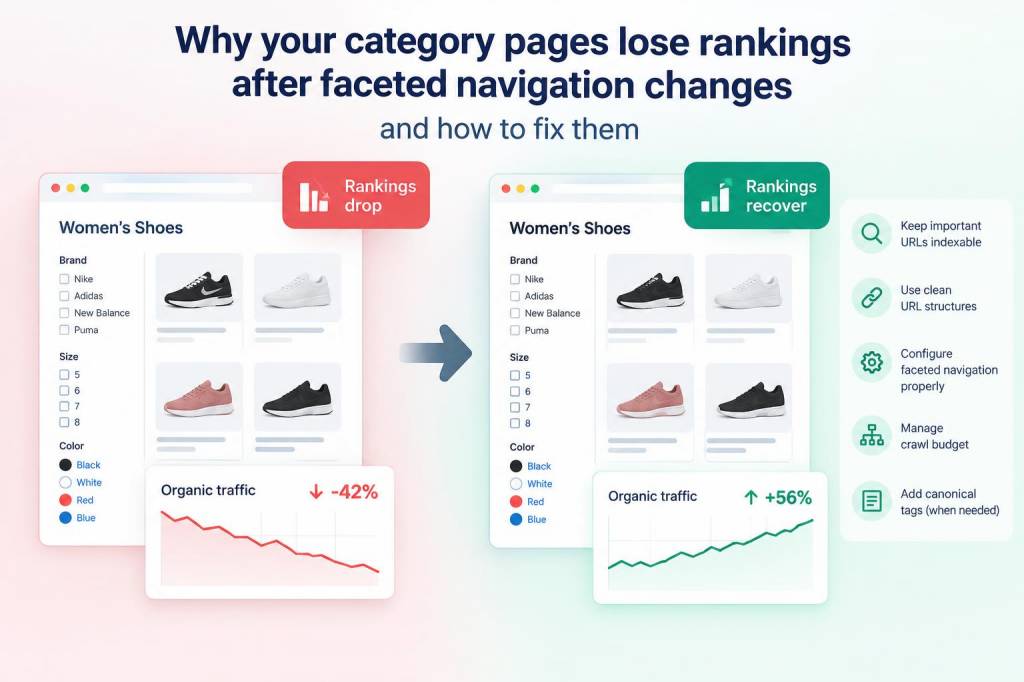
When I audit category pages that suddenly lose visibility after a faceted navigation rollout, I usually find a familiar pattern: search engines did not “punish” the site, they simply started seeing a very different version of it. Faceted navigation can be powerful for users, yet it can quietly reshape internal linking, crawl paths, indexation, canonical signals, and content uniqueness all at once. That is why a category page that once ranked well can sink after filters, sort options, and parameter URLs are introduced or reworked.
What makes this issue so frustrating is that rankings often decline even when the visible page still looks almost identical to human visitors. From my experience, search engines are not judging only the layout you see in the browser. They are evaluating whether a page still deserves its previous status as a strong category landing page, whether it has become one among thousands of near-duplicates, and whether internal signals still point clearly toward it.
What faceted navigation changes in search engines’ eyes
Faceted navigation lets users refine products or content by attributes such as brand, size, color, price, rating, date, format, or availability. On an e-commerce site, that often means a category can explode into many parameterized URLs. On a content site, it may mean tags, filters, or sorting combinations. The problem is not the idea of filters itself. The problem is that filters can create a massive set of alternate URLs that compete with each other.
When a site changes its faceted setup, several things often happen at once:
- internal links shift from clean category URLs to parameter URLs
- canonical tags change or disappear
- indexable combinations multiply
- crawl budget gets spread across low-value variants
- category copy becomes thinner because key text is moved or removed
- sorting or filtering pages begin to outrank the main category page for the wrong queries
To me, this is why category rankings drop so often after a redesign or platform migration. The site may still “work” for users, but search engines now receive mixed signals about which page is most important.
Why rankings fall after a faceted navigation update
The first reason is usually indexation dilution. If faceted URLs are crawlable and indexable, search engines may spend more time on combinations that do not deserve to rank. Instead of reinforcing one strong category page, the site distributes relevance across many near-duplicates. I have seen this happen after teams added filters for every attribute without setting a clear indexation strategy.
The second reason is canonical confusion. If filtered pages self-canonicalize when they should not, or if the canonical target keeps changing based on session states, search engines may stop trusting the main category URL as the definitive version. A weak canonical setup can make a page feel unstable to crawlers.
The third reason is internal linking drift. After a faceted update, navigation elements often begin pointing to filtered URLs because those are the most visible or easiest to generate. Search engines then see the filtered versions as more important than the primary category page.
The fourth reason is content flattening. Teams sometimes remove descriptive text from category pages to make room for filters, tabs, or grid controls. When that happens, the page may lose topical depth, context, and relevance. A category page needs more than product cards or article thumbnails if it is expected to rank competitively.
The fifth reason is performance regression. Faceted systems can add extra scripts, requests, and rendering complexity. If page speed or rendering quality suffers, rankings may drop because the page becomes harder to process and less satisfying to users.
Signals I check first when a category page drops
When I investigate a ranking decline, I start with a practical sequence rather than guessing. I want to understand whether the page lost authority, relevance, crawl access, or indexation consistency.
| Signal | What I inspect | What usually goes wrong |
|---|---|---|
| Index status | Search results, sitemap inclusion, coverage reports | Filtered URLs indexed instead of main category |
| Canonical tags | Source code and rendered output | Wrong self-canonical or inconsistent targets |
| Internal links | Navigation, breadcrumbs, modules, related links | Filtered pages receiving more links than primary page |
| Content depth | Intro copy, heading structure, product or article context | Thin or duplicated category text |
| Crawl behavior | Log files, crawl stats, parameter URL patterns | Bot time wasted on low-value combinations |
| Performance | Lighthouse, Core Web Vitals, render time | Heavy scripts and delayed content rendering |
That table reflects how I approach the problem in real audits: not as one isolated SEO issue, but as a chain of signals that either support or weaken the category page.
How I restore a category page after faceted navigation changes
My first priority is to define which URLs deserve indexation. Not every filter combination should be available to search engines. In many cases, only the main category page and a carefully selected set of landing pages should be indexable. If a filter combination has real search demand and unique value, it can deserve its own optimized URL. If not, it should usually remain crawlable only as a user feature, not a search asset.
I also make sure the canonical strategy is clean and consistent. The main category page should usually canonicalize to itself, while low-value faceted variants should either canonicalize to the parent category or be blocked from indexation when appropriate. What matters is consistency. Search engines need a stable message.
Next, I review internal linking. I want the site architecture to push authority toward the main category page, not away from it. That means:
- breadcrumbs should point to clean, indexable category paths
- navigation modules should favor the main category URL
- content hubs and related links should reinforce the primary page
- parameter URLs should not receive unnecessary contextual links
I also strengthen the page itself. A category page should contain enough unique text to explain what belongs there, why it matters, and how a visitor should use it. I often add concise but meaningful copy near the top or within a well-structured section below the main listings. This helps with relevance, but it also gives the page a clearer identity than a simple filtered grid.
Another fix I often apply is facet pruning. Not every filter deserves to exist at every crawlable level. I prefer a controlled system where only the most valuable facets can generate SEO landing pages. This reduces duplication and keeps the main category page from competing with endless variants.
If the site uses parameter handling in Google Search Console or server-side rules, I check that those settings still match current behavior. A faceted update can silently change the URL patterns, and old settings can become outdated. When that happens, search engines may treat new parameters as fresh indexable paths even though they are low value.
What I change in the page architecture
One of the most effective improvements is to separate user filters from search landing pages. User filters exist to help visitors narrow a list in real time. Search landing pages exist to target demand and earn rankings. When a site mixes those two purposes, SEO usually suffers.
I also check whether sorting controls are creating indexable duplicates. Sort-by-price, sort-by-popularity, and sort-by-newest pages can generate nearly identical content with little unique value. If these versions can be crawled, they often consume attention without adding real search benefit.
On large sites, I sometimes recommend a hybrid model. A few high-intent facet combinations become permanent landing pages with unique copy, strong internal links, and clean URLs. The rest remain functional for users but are kept out of the index. That balance often restores the category page’s ability to rank while still preserving a useful browsing experience.
Technical details I never ignore
Technical cleanup matters as much as content cleanup. I look for duplicate title tags, repeated meta descriptions, parameterized paginations, inconsistent breadcrumb markup, and render-blocking scripts that delay key content. If search engines cannot quickly understand which page is canonical and what content belongs to it, rankings often drift downward.
I also pay attention to pagination. Faceted navigation can interact badly with paginated category pages, especially when filters reset or fragment the content path. In some cases, the main category page ends up feeling like just page one of a much larger, fragmented set. That can weaken relevance if not managed carefully.
Server responses matter too. If filtered pages return 200 status codes when they should not, or if blocked resources prevent proper rendering, search engines may index unstable versions of the page. I prefer a setup where status codes, canonical tags, and crawl rules all tell a compatible story.
A practical recovery pattern I rely on
When a category page loses rankings after a faceted navigation change, I usually work through the same recovery pattern:
- identify which URLs lost visibility
- compare pre-change and post-change internal linking
- check canonical tags on primary and filtered URLs
- review index coverage and parameter proliferation
- restore or expand category-level content
- remove accidental indexation paths from low-value filters
- rebuild contextual links toward the primary category page
- measure crawl behavior after the cleanup
That process usually reveals whether the problem is relevance loss, authority dilution, or crawl inefficiency. In many cases, it is a combination of all three.
When I see a category page sliding downward after faceted navigation changes, I do not assume the page itself suddenly became worse. More often, the site changed the signals surrounding it, and search engines responded accordingly. The fix is rarely a single tag or a single setting. It is usually a coordinated correction across architecture, indexation, linking, and content structure.