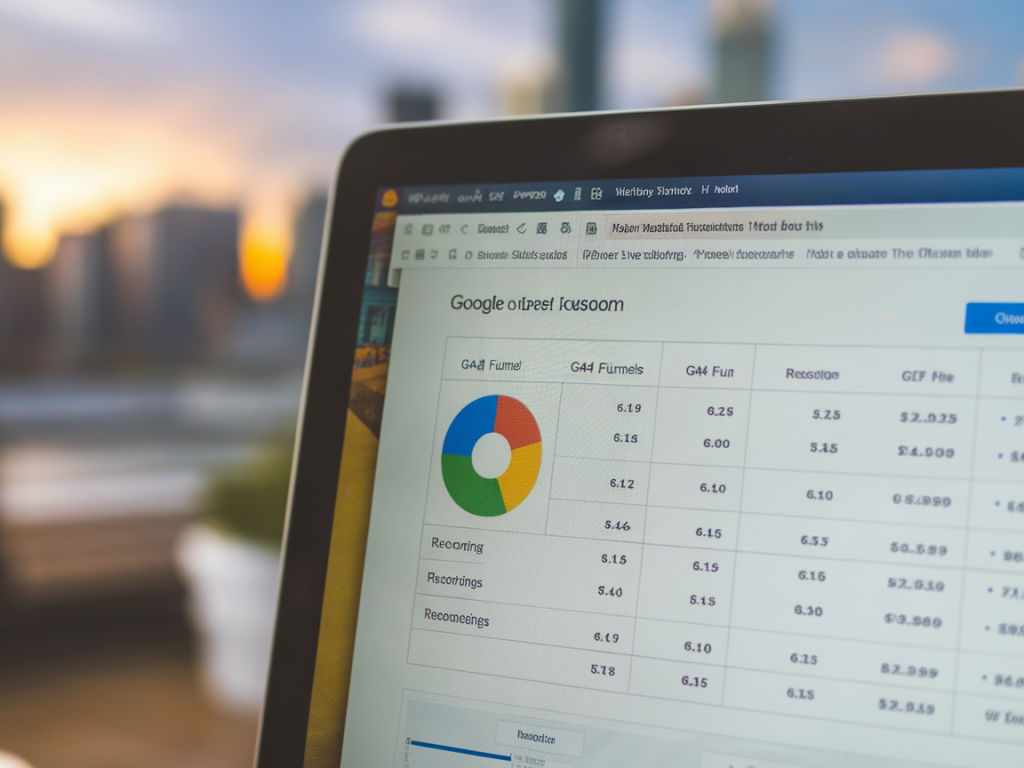
I often find that analytics dashboards and session replay tools each tell only part of the story. GA4 funnels show me where users drop off at scale, while session recordings let me see the exact behaviors causing those drop-offs. When I combine both, I can prioritize fixes on the highest-value landing pages that truly move the needle—rather than guessing based on gut or partial data.
Why combine session recordings with GA4 funnels?
GA4 gives me quantitative certainty: how many users entered a funnel, how many converted, and where the biggest leaks are. Session recordings give me qualitative evidence: the concrete UX issues, bugs, confusing form fields, or misaligned expectations causing those leaks. Together they transform vague hypotheses into repeatable fixes.
I use this combination for three main reasons:
Prioritization: GA4 funnels highlight high-impact pages. I focus recordings on those pages to avoid wasting time on low-traffic problems.Diagnosis: Recordings reveal root causes—things like misplaced CTAs, slow-load elements, or pop-ups blocking interactions.Validation: After implementing a fix, the funnel in GA4 shows whether conversion rate improved at scale; recordings confirm the experience is actually smoother for real users.How I identify the highest-value landing pages in GA4
Start with a simple question: which landing pages bring users that are most likely to convert or to spend more? In GA4 I typically run these checks:
Landing Page report: Filter by sessions and add conversion events to see pages with high sessions and high conversion value.Funnels: Build a funnel that represents your desired path (Landing > Product View > Add to Cart > Purchase or Lead Form Submitted).Monetization metrics: For e-commerce, sort by revenue per session or average order value. For B2B, use lead quality signals (form completions, demo requests).My rule of thumb: if a landing page accounts for ≥10% of a funnel’s entry points and has a conversion rate below median, it becomes a candidate for recording analysis.
Setting up GA4 funnels for actionable insights
I prefer using GA4’s Explore > Funnel Exploration for flexibility. Key tips I follow:
Use event-based steps: GA4’s event model lets me capture meaningful actions (e.g., page_view with page_path, click events, form_submit)Define the funnel as open, not strict: Users don’t always follow the exact path. An open funnel more realistically captures behaviors.Segment by traffic source: Organic, paid, and social traffic often behave differently. I segment to find whether a redesign or messaging tweak is needed per channel.Set date ranges wisely: Use at least 4–6 weeks of data to avoid day-of-week biases, and include any marketing campaigns that could skew behavior.Which session recording tools I recommend
I’ve used several tools and each has strengths. My favorites:
Hotjar: Fast to set up, great heatmaps, targeted recordings and polls.FullStory: Powerful search & segmentation, great for detailed event analysis; slightly pricier.Microsoft Clarity: Free, decent recordings and heatmaps, but lacks some advanced filtering of paid tools.SessionStack / LogRocket: Excellent for seeing console errors along with recordings—ideal for dev-heavy issues.I usually align the tool with my objective: for quick UX checks Hotjar; for deep behavioral reconstructions or error debugging, FullStory or LogRocket.
Practical workflow I use step-by-step
1. Identify candidate landing pages in GA4: Use funnel exploration and landing page reports to list pages with high traffic but low conversion.2. Create segments: In GA4, segment by source, device, and audience (new vs returning). Apply these same filters in your recording tool.3. Instrument targeted recordings: Install recording tool and set up filters to record sessions that came from the funnel entry page and match the GA4 segment.4. Observe and tag recordings: Watch a sample of sessions (I watch ~30–50 for initial diagnosis), tag recurring issues (friction, error, confusion).5. Form hypotheses: Translate repeated behaviors into hypotheses (e.g., “CTA label unclear” or “form field causing abandonment”).6. A/B test or implement fixes: Prioritize quick wins (copy, CTA color, field labels) and test with A/B tests for measurable impact.7. Monitor GA4 funnels post-change: Validate at scale—did drop-off decrease? Check complementary metrics: engagement time, bounce rate.Examples of issues recordings frequently reveal
Here are typical discoveries that turned into profitable fixes for me:
Misleading hero copy: Users read the headline expecting something else, quickly bounce. Fix: align headline with ad or organic snippet.Invisible CTA or off-screen button: Especially on mobile, CTAs get pushed below the fold. Fix: sticky CTA or reflow layout.Form friction: Too many fields or poor validation messages. Fix: reduce fields, use inline validation, and test progressive profiling.Slow-loading elements: Hero images or scripts delaying first meaningful paint. Fix: lazy load or optimize images, defer non-critical scripts.Modal/pop-up timing: Pop-ups appearing too early obstruct the CTA. Fix: delay or adjust triggers by scroll or exit intent.KPIs I track to measure success
After applying a fix, I monitor both GA4 and recording-based signals:
Funnel conversion rate: Primary measure—did the percent reaching the final step improve?Drop-off rate per step: Where exactly did improvement occur?Engagement metrics: Average engagement time, pages per session.Qualitative confirmations: Fewer recordings showing the previously observed problem.Common pitfalls and how I avoid them
There are traps you can fall into when combining these tools. I avoid them by following these rules:
Don’t over-generalize from a few recordings: Session replays are illustrative—not representative. Always validate with GA4 data.Avoid biased recordings: If you only record sessions from one traffic source, you may miss other segments’ issues. Match segments across tools.Privacy compliance: Mask PII in recordings, respect consent (CMPs), and keep sessions anonymized. I document where sensitive fields are and ensure tools are configured accordingly.Quick checklist to get started right now
| GA4 | Set up funnel & segment by source/device, identify top landing pages |
| Recording tool | Install script, set filters to record targeted sessions (landing page + segment) |
| Analysis | Watch 30–50 sessions, tag recurring issues, prioritize fixes |
| Implementation | Apply quick wins, run A/B tests for larger changes |
| Validation | Monitor GA4 funnel changes and re-check recordings for behavioral change |
Using this combined approach has consistently helped me reduce friction on the pages that matter most, lift conversion rates, and deliver clear, actionable insights to design and development teams. If you’d like, I can sketch a funnel and recording filter setup tailored to your site—tell me about your product and primary conversion event, and I’ll outline the first steps.